

Web development has undergone great changes in the last several years. In 2026, developers have access to highly-efficient frameworks, assistants powered by artificial intelligence, cloud computing, performance optimization technologies, which help to create websites very quickly and efficiently. However, with all this variety of tools at hand, it is not easy to choose the most appropriate tool.
As a web developer, I have tested many web development tools on my own experience of creating websites for myself and my clients. I have been impressed by some tools due to their fast performance, other tools because of simplicity and usability, and some tools have become an integral part of my workflow because they save me time.
In this article, I would like to talk about my favorite web development tools in 2026.
1. Visual Studio Code (VS Code)
There is one tool I use every single day without fail, and that is Visual Studio Code.
The reasons why VS Code is such a great editor are speed, simplicity, and flexibility – it opens instantly, has support for every programming language imaginable, and there are hundreds of plugins that can really speed up development.
Some of my favorite plugins include:
- IntelliSense
- Integrated terminal
- Git support
- Debugging
- Extension marketplace
- AI coding assistants
Plugins such as Prettier, ESLint, Angular Language Service, GitLens, and Live Server do all the dirty work for me.
Be it a basic landing page or web app, VS Code will be the very first editor I'll go to.
2. Git & GitHub
All developers need to know about version control and Git is the way to go in 2026.
With Git I can:
- Track every edit made
- Undo errors
- Work together with other developers
- Make branches to work on new features
- Keep track of history of the project
GitHub takes things even further.
With GitHub I can:
- Host the project repository
- Promote my portfolio
- Handle issues
- Collaborate within teams
- Deploy websites automatically with GitHub Actions
Having all my projects on GitHub also gives people who might hire me an insight into how I code.
3. Angular
It is still one of my favorite frontend frameworks due to the abundance of features to build scalable web applications.
Here are some advantages of using Angular:
- Component-based structure
- TypeScript integration
- Dependency Injection
- Routing
- Reactive Forms
- Inbuilt HTTP service
- Great CLI
Some projects developed with Angular are weather apps, personal portfolios, dashboards, and AI-driven applications.
4. Figma
Before writing any piece of code, it’s common practice for me to design the layout using Figma.
Using Figma, it’s easy to:
- Create wireframes
- Design user interfaces
- Share designs with clients
- Prototype user journeys
- Ensure consistency in design
As it is a cloud-based service, I can easily access my designs without worrying about losing them anywhere.
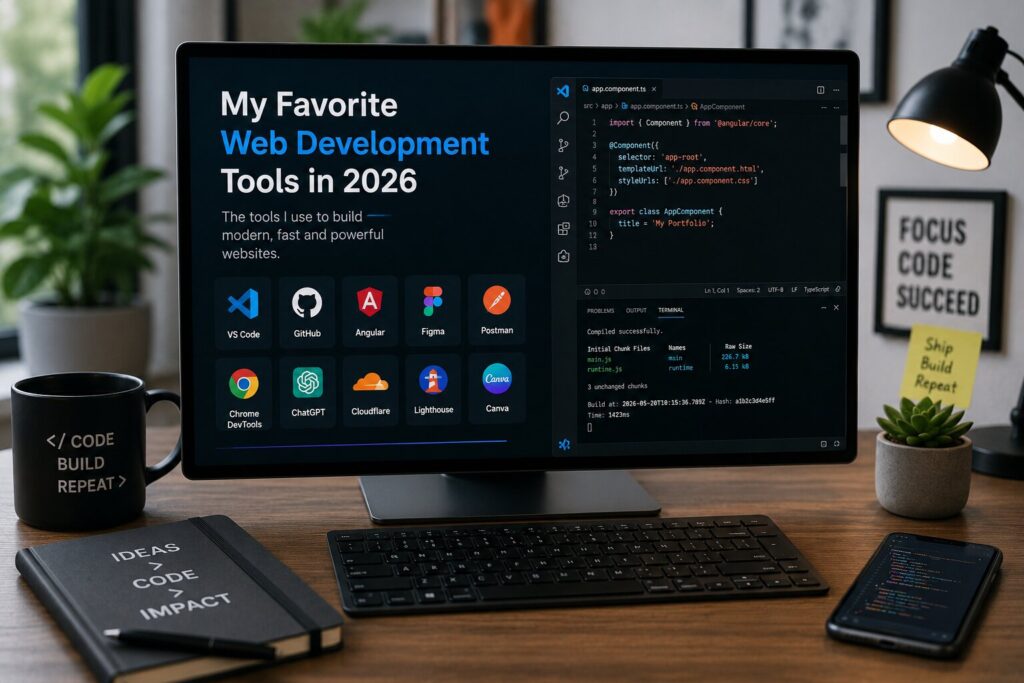
5. Canva
Not all projects require the use of Adobe Photoshop.
For creating:
- Website banners
- Graphics for social media platforms
- Presentation material to be used while presenting the project to clients
- Images for blogs
- Other marketing material
Canva is one software that I use frequently because of how quick and user-friendly it is.
6. Google Chrome Developer Tools
Chrome Developer Tools has been one of the most vital tools in my toolkit.
Its use includes:
- HTML inspection
- CSS debugging
- JavaScript analysis
- Responsive design testing
- Performance measurement
- Network requests analysis
- API response analysis
Lighthouse auditing is particularly helpful since it offers recommendations regarding:
- Accessibility
- Search Engine Optimization
- Performance
- Best practices
7. ChatGPT
Artificial intelligence has turned out to be a great help for programmers rather than an alternative.
ChatGPT can be used for:
- Debugging code
- Elucidating complicated issues
- Documentation writing
- Generation of ideas
- Code optimization
- Studying new technologies
- Creating content
This way, instead of wasting time on finding information in documentation, I can do things much faster.
Nevertheless, I check all the code generated by AI before deploying it into production.
8. Postman
Modern websites depend highly on APIs.
Postman makes testing APIs easy.
Using Postman, I can:
- Test REST APIs
- Send HTTP requests
- Create collections
- Authenticating users
- Testing endpoints
- Examining JSON responses
It removes the need to keep writing test codes within the application itself.
9. Hostinger
No website can be considered complete without being live.
When it comes to hosting websites, I always go for services that guarantee speed, dependability, and convenience of management.
Hostinger offers the following:
- Fast hosting
- SSL Certificates
- Easy WordPress Installation
- Domain Management
- Email Hosting
- Automatic Backups
All these things combined make website management easier.
10. Google Lighthouse
Website performance impacts the experience of the users and ranking in search engines.
Google Lighthouse is an extension that helps evaluate:
- Page speed
- Accessibility
- SEO
- Performance
- Best practices
At the end of each project, I perform a Lighthouse audit and check what can be improved.
The increase in loading speed even by a little bit can noticeably increase the user's satisfaction.
11. Google Fonts
Typography is a core part of a website design.
Google Fonts offers an extensive selection of free fonts to make your website readable and professional looking.
Among my favorite ones there are:
- Poppins
- Inter
- Montserrat
- Roboto
- Outfit
Good typography helps to make a website more professional.
12. Font Awesome
Icons are helpful in navigation and improving user interfaces.
Rather than drawing icons from scratch, I choose Font Awesome since it provides thousands of icons which can be used for:
- Navigation
- Social Media
- Dashboard
- Contact
- Buttons
- Forms
It helps to keep interface neat and attractive.
13. Google PageSpeed Insights
Web speed optimization is an essential part of web development.
PageSpeed Insights is used to assess:
- Largest Contentful Paint (LCP)
- Cumulative Layout Shift (CLS)
- Interaction to Next Paint (INP)
- Mobile performance
- Desktop performance
These insights ensure fast loading of websites.
14. Cloudflare
Performance and security go together.
Cloudflare offers:
- CDN
- DNS management
- SSL
- DDoS protection
- Caching
- Image optimization
Cloudflare makes websites faster and secures them from common online threats.
15. AI Code Assistants
AI-assisted programming has become an ordinary aspect of the contemporary work process.
Rather than replace programmers, AI technologies assist them with:
- Making coding suggestions
- Spotting bugs
- Reorganizing functions
- Automating routine coding
- Creating documentation
- Explanations of unknown code
It all comes down to taking the suggestions as a basis and using your knowledge and experience as well.
Conclusion
Not always the most up-to-date web development tools are the best ones; those which meet your personal workflow and help to create good-quality websites are better. By 2026, my collection of tools includes both traditional development programs, design platforms, cloud services, and AI assistants to make my workflow easier.
Those who only start their way in web development should not rush and try all these tools immediately. First of all, one needs to learn some basic things including how to use VS Code, Git, GitHub, Chrome DevTools, and one frontend framework such as Angular. With time, you can start using Figma, Postman, Cloudflare, and AI assistants in your work.
The technology will change, but fundamental knowledge will still be important for efficient web development. Continue developing your skills and abilities, create websites, explore new technologies, and improve your workflow.