

Table of Contents
- Introduction
- Why Website Speed Matters
- How to Measure Website Speed
- Understanding Core Web Vitals
- Website Speed Optimization Checklist
- Common Website Speed Optimization Mistakes
- Weekly Website Speed Maintenance Checklist
- Final Thoughts
- Frequently Asked Questions (FAQs)
The speed of a website has emerged as a very crucial factor in order to ensure the success of a website online. If you have created a personal portfolio, e-commerce store, business website, or blog, the speed at which your pages load plays a critical role. The more time it takes for your site to load, the less chances there are that people will even stay on your website long enough to see your content.
In 2026, page performance cannot simply help give your users a better experience, but it can impact a number of other things like your search engine rankings, conversions, the level of trust your customers feel when interacting with your website, and even the way AI search engines rank your content.
Google has always highlighted the need for speed in websites through its Core Web Vitals. A website that loads faster not only keeps your users engaged but makes them less likely to exit out from your site after seeing only the first page.
Website Speed – More Than Just Loading Times
The website speed is responsible for much more than just loading times. It impacts almost every facet of your online presence.
Better Search Engine Rankings
Google takes the page experience as one of the ranking factors into account. Fast websites that also satisfy Core Web Vitals requirements will more often rank above their rivals.
Positive User Experience
No user likes a slow website. When it comes to fast pages, the browsing experience will be smooth making users spend more time on your website.
Higher Conversion Rates
Regardless of whether you sell goods or offer services, your conversion rate will be higher due to fewer obstacles when using your website.
Lower Bounce Rate
When users need several seconds to load the website, they simply leave. A better speed helps avoid that scenario increasing the time spent on your website.
Enhanced Mobile Performance
More and more people browse websites through smartphones. The website speed optimization provides an equally good experience for users on any device.
Increased Trust from Customers
First of all, the fast website makes your business more trustworthy. Professional appearance also counts for building the positive first impression.
Website Speed Measurement Methods
First, one needs to be aware of the website’s current speed performance before any improvements can be made.
Google PageSpeed Insights
Google PageSpeed Insights is a website analysis tool which gives recommendations according to Core Web Vitals. This tool helps in measuring both mobile and desktop performance and finding improvement points.
GTmetrix
This is an analytical tool for assessing loading time, page size, requests, and optimization opportunities. This tool works well for identifying large files and slow-loading resources.
Lighthouse
This is an integrated performance, accessibility, SEO, and best practice auditing tool included in Chrome DevTools.
WebPageTest
WebPageTest can help with more thorough testing from different locations, browsers, and internet speeds.
Comprehending Core Web Vitals
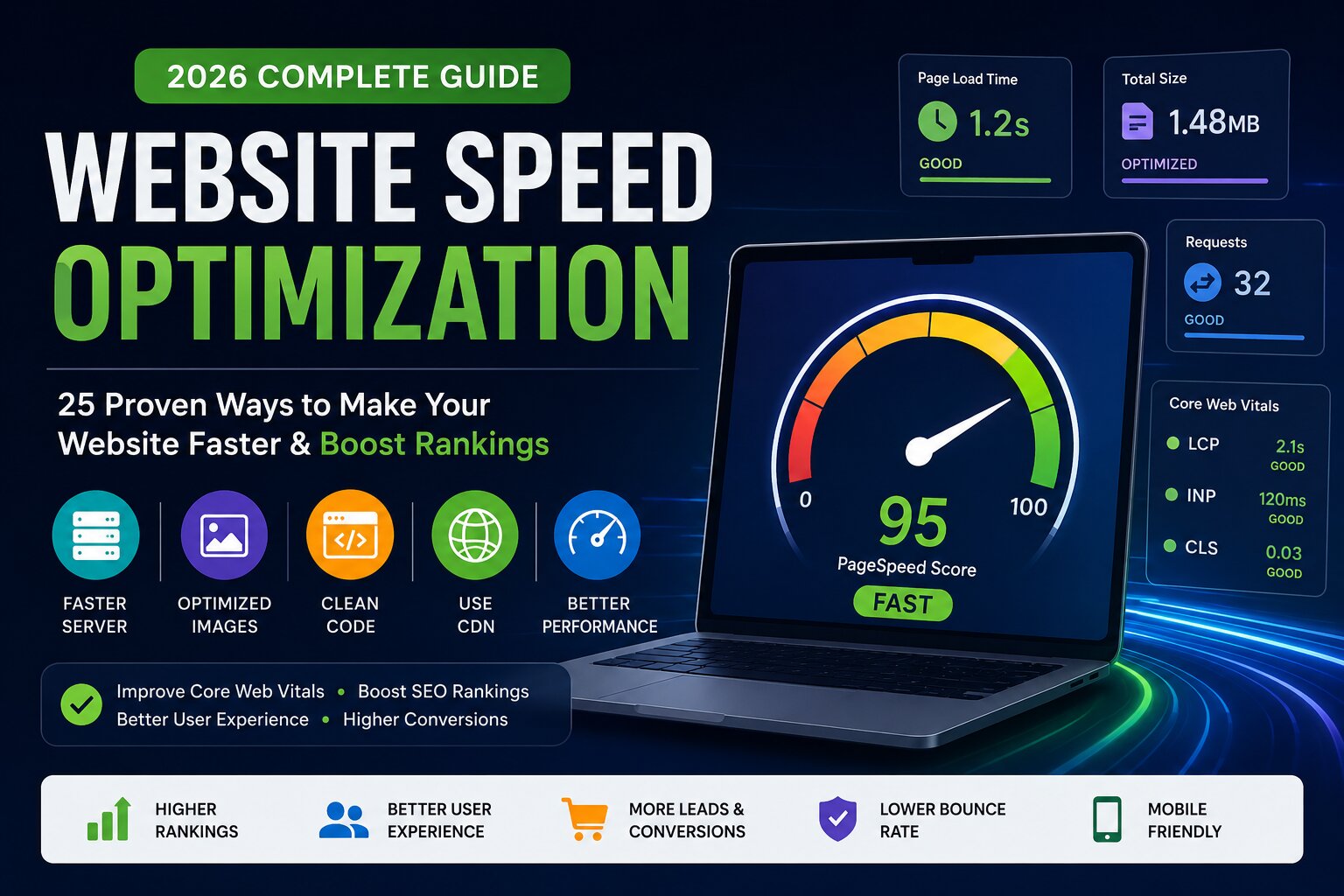
Three essential web vitals are used by Google to measure site speed performance.
Largest Contentful Paint (LCP)
It helps gauge the time taken for the largest content to load on the screen.
Good Score: Less than 2.5 seconds
Interaction to Next Paint (INP)
This helps gauge the response time from user interactions.
Good Score: Less than 200 milliseconds
Cumulative Layout Shift (CLS)
It helps determine the visual stability on the webpage.
Good Score: Less than 0.1
Checklist for Website Speed Optimization
1. Opt for Fast Web Hosting
The web hosting company is the backbone of your website's speed.
No matter how great your optimization tactics are, they won't help you much if your servers are slow.
In choosing a hosting service, pay attention to:
- SSD or NVMe storage
- LiteSpeed or Nginx servers
- Newest PHP version
- HTTP/3
- Caching system
- Uptime guarantee
Do not pick too cheap shared hosting if your website has steady traffic.
2. Utilize a Content Delivery Network (CDN)
The CDNs keep copies of your website on numerous servers all over the world.
Instead of loading your website from one place, people will receive content from the closest server.
Advantages are:
- Low latency
- Faster loading globally
- Increased reliability
- Higher security
- Decreased server load
Popular CDN services are Cloudflare, Bunny.net, Amazon CloudFront.
3. Compress Images Before Uploading Them
Images of large size are one of the biggest sources of slow websites.
Instead of uploading images directly from your mobile device or camera, it is better to compress them.
Proper methods include:
- Resizing images to needed sizes.
- Using image compression software.
- Not using high resolutions.
- Careful compression of hero images.
Even compressing the image in half will
4. Use Modern Image Formats
JPEG and PNG images are slowly being phased out due to more modern formats.
The recommended formats are:
WebP
AVIF
These formats have great image quality but use much smaller file sizes, resulting in faster loading times.
5. Enable Browser Caching
Browser caching entails storing website content on the computer of the visitor.
Once they come back, their browser does not have to re-download all content.
Browser cache might include:
- CSS
- JavaScript
- Images
- Fonts
Loading time is greatly reduced for repeat visitors.
6. Minimize CSS Files
CSS may be filled with unnecessary white spaces, comments, and formatting.
Minimization of CSS strips off such unnecessary characters while retaining its functionality.
The advantages include:
- Smaller file sizes
- Fast downloading of files
- Fewer server requests
Most optimization plugins do this automatically.
7. Minimize JavaScript
Big JavaScript files can cause delays in loading of webpages.
Minimization of JavaScript ensures unnecessary code is stripped away while maintaining functionality.
Also ensure you delete unused JavaScript from your site.
8. Remove Unused CSS
CSS which is not used in each page gets loaded by themes and page builders.
Removing unused styles:
- Makes the page smaller
- Speeds up rendering
- Assists Core Web Vitals
Only those styles should be loaded which are necessary for each page.
9. Remove Unused JavaScript
- Every additional script adds to loading time.
- Regularly check plugins and libraries which you have added in your website.
Deactivate those scripts which:
- Are not necessary
- Load all over the site unnecessarily
- Have similar functionality
- Removing JavaScript makes the site more responsive.
10. Enable Gzip or Brotli Compression
Compression helps reduce file size sent from your server to the visitor’s browser.
Modern hosting platforms provide support to:
Gzip
Brotli
Brotli provides better compression compared to Gzip, hence, even faster page loads.
11. Decrease HTTP Requests
Each image, each font, each stylesheet, and each script requires an HTTP request.
A high number of requests will make your website slower.
The following is how to decrease requests:
- Merge CSS files whenever possible.
- Minimize unnecessary plugins.
- Do not use unused fonts.
- Decrease external scripts.
- Use SVG icons instead of images.
Decreased requests will help your site load faster.
12. Web Font Optimization
Custom web fonts can greatly influence loading time if not optimized properly.
Some of the best practices are as follows:
- Use only required font weights.
- Prefer modern font formats (WOFF2).
- Preload critical fonts.
- Do not load multiple font families.
- System fonts usage will be the best option for performance.
13. Lazy Loading of Images
All images are not required to be loaded as soon as someone visits your webpage. Most of the images that will appear at the lower part of the webpage may not be visible right away when a visitor lands on the webpage.
Lazy loading of images is such a technique where images are loaded only once a visitor reaches them. This way, you save your initial page size and even bandwidth.
Best Practices:
- Lazy load images which are below the fold.
- The hero image should remain exempt from lazy loading.
- Test your webpage after implementing lazy loading to see if images load properly.
14. Lazy Load Videos
Videos are one of the largest assets of any webpage. When several YouTube videos are embedded into any webpage, it tends to delay loading times due to extra loading of scripts.
Instead of showing a complete video in the beginning, show a thumbnail with play buttons. The video will load once the visitor clicks the thumbnail.
Advantages:
- Fast page loading
- Reduced bandwidth consumption
- Better core web vitals
- Improves mobile performance
15. Optimize Your Database
With the increase in traffic on your website, your database will contain numerous revisions, drafts, spam comments, expired transients, etc.
Optimizing your database is one way of reducing the server response time.
What You Can Remove From the Database:
- Old post revisions
- Spam comments
- Posts marked as trash
- Expired cache
Tables that have been orphaned when the plugin was deleted
If you use WordPress, there are plenty of plugins for database optimization.
16. Reduce Third Party Scripts
Third party scripts may include a variety of services, including analytics tools, chats, social feeds, ad networks, tracking pixels, and many others.
Although the above mentioned third party scripts serve as useful features, every additional script adds up to your page load time.
Question every third party script and check whether it is still necessary for your website and improves user experience.
17. Defer Non-Essential JavaScript
All the JavaScript files need not be loaded prior to displaying the page.
Deferring non-essential JavaScript enables your browser to show your content first and run other scripts later on.
Such an approach boosts loading time and enhances Core Web Vitals.
JavaScript files that can usually be deferred include:
- Analytics scripts
- Chat widgets
- Social media share buttons
- Marketing scripts
18. Preload Important Resources
There are some resources which are essential to show the above-the-fold section of your website.
With preloading, your browser will know to load important resources first than others.
Important resources to be preloaded include:
- Hero images
- Main fonts
- Critical CSS
- Logos
- Correct preloading optimizes Largest Contentful Paint (LCP).
19. Prioritize CSS
Rather than loading all stylesheets before showing the page, loading only the necessary CSS for showing visible content will do.
This approach is referred to as Critical CSS.
Advantages include:
- Rapid rendering
- Enhanced user experience
- Fewer render-blocking resources
The rest of the CSS should be loaded after rendering your page.
20. Avoid Installing Lots of Plugins
Every plugin adds code, database queries, CSS, or JavaScript.
Even though plugins have useful functions, installing too many will cause a decrease in speed.
You should review your installed plugins and delete all those which:
- Are not in use
- Redundant for existing functionality
- Not optimized properly
- Are outdated
The quality should be much more important than quantity.
21. Use Lean Themes
Website theme is a very important aspect in terms of its performance.
Lean theme will load much faster than a bloated one which includes lots of unnecessary things and animations.
While choosing a theme, think about:
- Coding
- Responsiveness
- Updates
- Performance
- Integration with caching and optimization plugins
Try to avoid using themes which include numerous features which you don't need at all.
22. Keep Your Website Updated
Sometimes outdated software has some problems related to its performance or security.
You should keep updated:
- CMS
- Themes
- Plugins
- PHP version
- Software on the server
Every update is aimed at improving the performance of your website.
23. Optimize for Mobiles
As most people today use mobile phones for browsing websites, mobile optimization is highly important.
Mobile users generally use slower internet than the desktop ones. Therefore, any optimization counts for them.
Pay attention to:
- Responsive design
- Reducing image size
- Navigation that suits touch screen
- Light weight animations
- Quick mobile loading
Quick mobile loading also helps increase the ranking of your website in search engines.
24. Monitor Your Core Web Vitals
Website optimization is not just once in a while process.
You need to monitor your Core Web Vitals to detect new problems related to loading of your website.
Take into account:
- Largest Contentful Paint (LCP)
- Interaction to Next Paint (INP)
- Cumulative Layout Shift (CLS)
Check these indicators after updating your website, installing plugins or redesigning your website.
25. Test Loading Speed After Each Update
Every time when you:
- Install new plugin
- Change the design of your site
- Load some big media files
- Add scripts
- Redesign your website
You should test the performance of your website again.
Website Speed Optimization Pitfalls
However experienced the website owner is, he might make errors that slow down his website.
The most widespread ones include:
- Posting high-quality photos uncompresssed
- Adding a lot of plugins
- Using a bad quality web hosting service
- Failing to implement browser caching
- Loading several font families
- Using numerous third-party widgets
- Starting videos automatically in the background
- Failing to consider mobile users
- Not updating software regularly
- Neven checking Core Web Vitals
It will be enough to avoid these mistakes to boost your website speed significantly without doing anything special.
Weekly Website Speed Optimization Checklist
Website speed optimization is a process you have to do regularly. Use this checklist once a week:
✅ Test your website with Google PageSpeed Insights.
✅ Compress all images you uploaded recently.
✅ Get rid of unused plugins or scripts.
✅ Clean your website cache.
✅ Optimize your database (if necessary).
✅ Check performance according to Core Web Vitals.
✅ Test loading speed of your website in a mobile device.
✅ Update plugins, themes, and CMS.
✅ Look for broken links or extra redirects.
✅ Test your website again after you've made some changes.
Conclusion
In today’s world, website speed cannot be overlooked because it determines how effective your site will be for visitors and in terms of SEO and overall growth. If your website is too slow, chances are visitors won’t wait until the page loads and will look for a more optimized one; otherwise, you will lose potential leads and revenue.
The positive thing is that optimization does not necessarily involve rebuilding the whole website. All you have to do is apply the 25 methods presented above—from picking the proper hosting services to enabling caching—and improve your site’s performance.
Keep in mind that optimization is a continuous process and, as you keep adding content and updating your website with new plugins, etc., you will have to test it for performance again.
Website speed FAQs
1. What should be the ideal website speed?
The loading time of your website should ideally be within 2-3 seconds. Ideally, the LCP as per Google is within 2.5 seconds.
2. Does website speed influence SEO?
Yes. The speed of your website is considered an important ranking factor.
3. Which format should you use for images in website development?
WebP & AVIF are considered to be best image formats as they provide excellent quality while having much smaller file sizes than JPEG & PNG formats.
4. How often should one test website speed?
One should test their website on monthly basis and especially whenever any major update or new plugin is added.
5. Can too many plugins affect website speed?
Yes. Adding more plugins can affect the website speed because each plugin increases the number of codes/queries that run on the website.